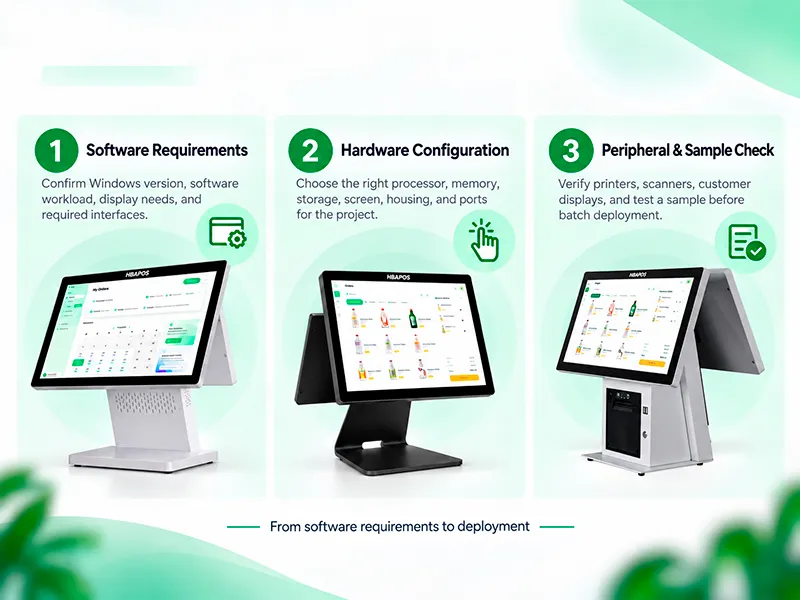
A liquor store POS system should be planned around the checkout workflow, the available counter space, and the software that controls product lookup, pricing, age-verification prompts, inventory, and promotions. For most projects, the hardware decision comes down to three practical choices: an integrated terminal with a built-in receipt printer, a modular terminal with external peripherals, and the exact display and computing configuration required by the software.
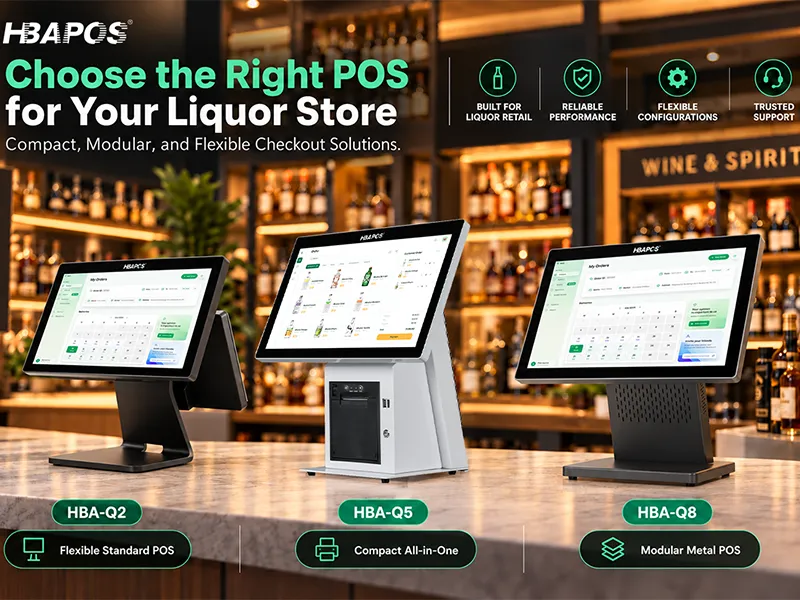
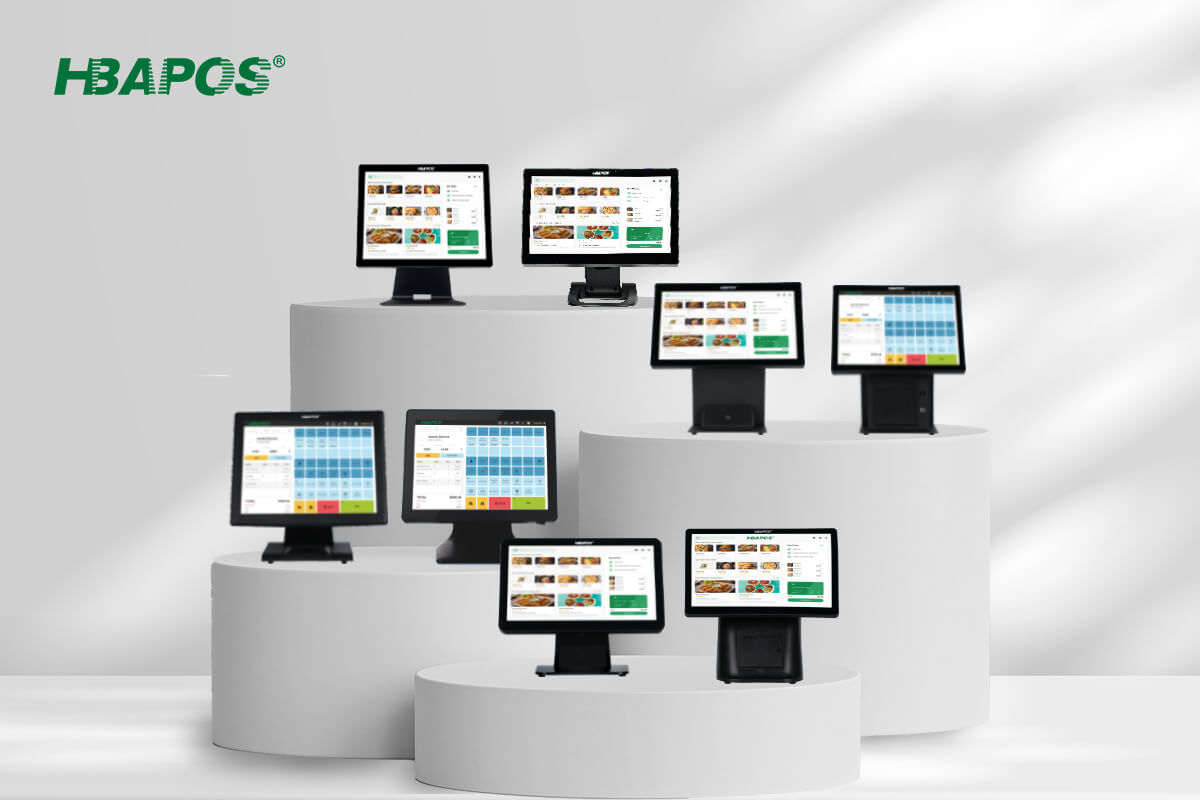
For the HBAPOS range considered in this guide, HBA-Q5 is the most compact integrated option because it includes a built-in 58 mm or 80 mm thermal receipt printer. HBA-Q8 and HBA-Q2 are better suited to modular counters where the scanner, printer, cash drawer, and payment device are selected separately. On Q5, Q8, and Q2, the optional customer display is installed on the rear of the POS terminal, facing the customer; it is not a separate countertop peripheral. HBA-R8 and HBA-R9 are excluded because their primary role is supermarket checkout-lane integration.
Quick Hardware Recommendation
- Choose HBA-Q5 when counter space is limited and an integrated receipt printer simplifies installation.
- Choose HBA-Q8 when the project needs an all-metal terminal and a modular peripheral layout.
- Choose HBA-Q2 when the project needs a stable metal terminal with flexible processor and optional rear-mounted customer-display configurations.
- Confirm the POS software, payment provider, scanner, receipt format, and age-verification workflow before finalizing the hardware bill of materials.
1 Define the Liquor Store Checkout Workflow
Hardware selection should begin with the actual transaction sequence. A typical liquor-store checkout may include scanning a packaged item, searching for an item with a damaged or missing barcode, applying a promotion, requesting an age check, accepting payment, opening a cash drawer, printing a receipt, and showing transaction information to the customer. The POS software controls these business rules. The terminal and peripherals must provide the screen, computing resources, ports, and physical layout needed to run them reliably.
Document the busiest transaction rather than the simplest sale. Mixed baskets, case quantities, returns, discounts, loyalty functions, and restricted-item prompts can require more operator interaction than a basic barcode scan. This determines whether the terminal needs an optional rear-mounted customer display and whether the counter needs a presentation scanner, a handheld scanner, or additional space for payment and ID-check equipment.
2 Compare HBA-Q5 HBA-Q8 and HBA-Q2
The three terminals can support different counter layouts. The exact processor, memory, storage, display, interface, and optional accessory combination must be confirmed on the quotation because not every portfolio option is available on every model.
HBA-Q5 for an Integrated Counter
The
HBA-Q5 reduces the number of separate devices on the counter by integrating the receipt printer into the terminal. This is useful when the store has a narrow service counter or wants a cleaner cable path. The built-in printer still requires the buyer to confirm paper width, receipt length, cutter behavior, driver support, and the cash-drawer connection method used by the complete solution.
The official product page lists 15 inch and 15.6 inch main displays, several customer-display choices, and processor configurations from entry-level platforms through Intel Core options. When selected, the customer display is mounted on the rear of the terminal facing the customer. Treat these as configurable ranges rather than a single fixed specification.
HBA-Q8 for a Modular All-Metal Setup
The
HBA-Q8 is appropriate when the buyer prefers an all-metal terminal but wants the receipt printer and scanner positioned independently. A separate printer can be placed below the counter, beside the terminal, or closer to the cash drawer, depending on cable routing and staff movement. The optional customer display is mounted on the rear of the Q8 terminal facing the customer, so the quotation should identify the exact screen size, interface, and touch requirement.
HBA-Q2 for a Flexible Standard Counter
The
HBA-Q2 provides an all-metal body, a stable stand, 15 inch or 15.6 inch main-display options, and model-specific VFD220 or LCD customer-display configurations. When selected, the customer display is mounted on the rear of the Q2 terminal facing the customer. Q2 is a practical base for a conventional counter with an external scanner and printer. The selected Windows processor, memory, and storage should match the POS software vendor’s requirements rather than being chosen only by price.
3 Plan Barcode Scanning for Bottles Cans and Multipacks
Liquor-store packaging can make scanning less predictable. Curved bottles, reflective labels, damaged barcodes, shrink-wrapped cases, and items stored behind the counter can affect the operator’s scanning position. The scanner should therefore be selected after testing representative products from the intended store.
- Use a presentation scanner when staff need hands-free scanning at a fixed checkout point.
- Use a handheld or corded scanner when staff must reach cases, large bottles, or products that cannot be moved easily across the counter.
- Confirm whether the software and product database use 1D retail barcodes, 2D codes, or both. Do not assume that every scanner configuration supports every code type.
- Test the scanner through the same USB or serial connection, driver method, and software build planned for deployment.
A scanner reading a code is only the first step. The POS software must map that code to the correct product, pack size, tax rule, price, and restricted-item workflow. Product recognition, age prompts, and inventory deductions are software functions and depend on the customer’s database and configuration.
4 Choose the Receipt Printer and Cash Drawer Connection
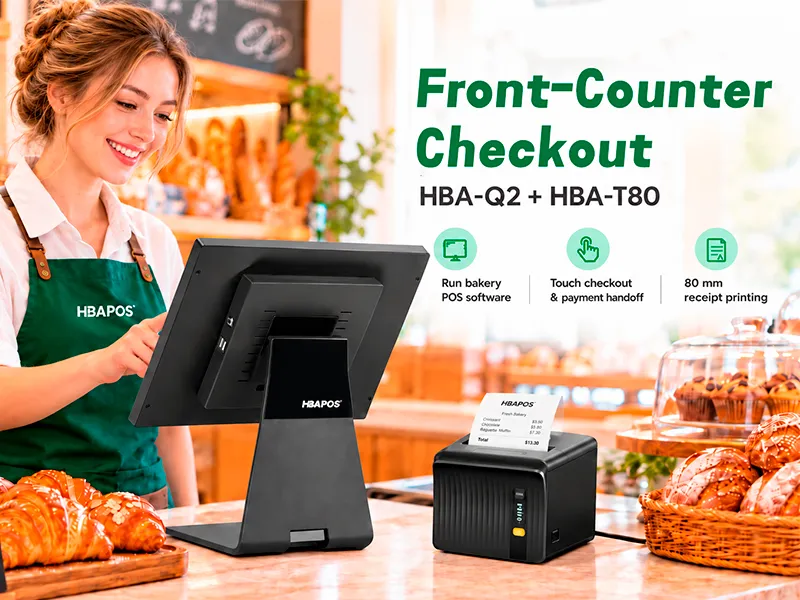
Receipt printing affects counter layout, service access, and cash-drawer wiring. HBA-Q5 provides a built-in 58 mm or 80 mm printer option. HBA-Q8 and HBA-Q2 require an external receipt printer. An external printer gives the installer more placement flexibility, while an integrated printer reduces the number of separate devices.
Before ordering, confirm the Windows driver, paper width, cutter requirement, available port, and whether the cash drawer connects through the printer or by another interface. If receipts include logos, barcodes, QR codes, or long regulatory text, print samples from the customer’s actual POS software.
5 Confirm the Rear-Mounted Customer Display Configuration
On HBA-Q5, HBA-Q8, and HBA-Q2, the optional customer display is installed on the rear of the POS terminal, which is the side facing the customer. The terminal can therefore be ordered with or without a customer display. Its content is controlled by the POS software. Confirm the model-specific display size, interface, resolution, Windows display mode, touch requirement, viewing angle, and the software’s support for a second display.
Plan the Payment Device and ID-Check Area
Leave a clear area for the payment terminal and any ID-check process required by the retailer. Payment devices are normally supplied or certified by the selected payment service provider. The POS supplier should reserve the required ports and counter space, but should not claim payment certification without confirmation from that provider. Age-verification rules vary by market; the buyer must define the local legal and software requirements.
6 Size the Windows Configuration for the Software
The terminal specification should follow the POS software workload. A basic single-register application may need fewer resources than a system running a large product database, reporting tools, remote management, multiple displays, or background integrations. Ask the software provider for the supported Windows version, processor requirements, minimum and recommended memory, storage needs, database method, and required interfaces.
HBAPOS product pages show configurable processor, memory, and storage ranges for Q5, Q8, and Q2. The final bill of materials should name the exact CPU, RAM, SSD, Windows version, screen arrangement, and ports. Avoid using a product-family range as if every combination were automatically available.
7 Build a Complete Terminal and Peripheral Checklist
8 Validate One Sample Before Rollout
A configured sample is the safest way to confirm the complete setup before batch deployment. HBAPOS can start from one sample unit, and sample production can be completed within seven days. This refers to production time and does not include international transport. The buyer can send the software installer or remotely connect to the sample terminal.
- Install the customer’s approved Windows build, POS software, drivers, and database sample.
- Confirm the selected rear-mounted customer display is installed as part of the terminal configuration, then connect the scanner, printer, cash drawer, and payment-device test environment.
- Run normal sales, mixed baskets, discounts, returns, restricted-item prompts, receipt printing, and recovery after restart.
- Record the exact configuration and collect screenshots, videos, or a short test record for review.
- Freeze the approved bill of materials before confirming the batch order.
The software vendor or system integrator should define the acceptance criteria. A successful hardware startup does not by itself prove that every software workflow, payment integration, or peripheral function is ready for deployment.
9 Prepare a Clear Request for Quotation
Include the following information so the supplier can quote the correct configuration instead of a generic base model:
- Preferred terminal model: HBA-Q5, HBA-Q8, or HBA-Q2
- Required Windows version and POS software requirements
- CPU, memory, storage, main-screen, and optional rear-mounted customer-display requirements
- Scanner type and required barcode formats
- Built-in or external receipt printer and required paper width
- Cash drawer, payment-device, network, and mounting requirements
- Destination, quantity, sample-test scope, branding, and packaging requirements
Frequently Asked Questions
Which HBAPOS model is best for a small liquor store counter?
HBA-Q5 is usually the first model to evaluate when space is limited because it integrates a 58 mm or 80 mm receipt printer. The final choice still depends on the required scanner, cash drawer, payment device, optional rear-mounted customer display, software workload, and service access.
Can HBA-Q8 or HBA-Q2 use an external receipt printer?
Yes. These models can be planned as modular POS terminals with an external receipt printer, subject to the selected Windows driver, interface, and software compatibility. Test the final printer model with the sample terminal.
Does the POS hardware perform age verification?
The terminal provides the platform for the POS application, but age prompts, ID-check workflows, user permissions, and transaction rules depend on the customer’s software and local legal requirements. Hardware alone does not guarantee compliance.
Should a liquor store use a handheld or presentation scanner?
A presentation scanner suits repetitive counter scanning, while a handheld scanner is useful for cases and products that are difficult to move. Many projects should test both approaches with representative bottles, cans, cartons, and multipacks before deciding.
Conclusion
A reliable liquor store POS system starts with a documented checkout workflow and a verified terminal and peripheral list. HBA-Q5 suits compact integrated counters, while HBA-Q8 and HBA-Q2 provide modular bases for external scanners and printers. Confirm the exact Windows configuration, ports, optional rear-mounted customer display, receipt setup, and software responsibilities in a sample before rollout.
For a model-specific quotation,
contact HBAPOS with the software requirements, peripheral list, target quantity, and sample-test scope.